Articles in this section

Kinvent Session: What It Is and How to Use It

What Is a Kinvent Session?


A Kinvent Session is a structured process designed to guide you through a patient’s rehabilitation journey using the Kinvent App and connected devices. It follows a clear cycle of assessment, goal-setting, training, and reassessment to optimize recovery and track progress.


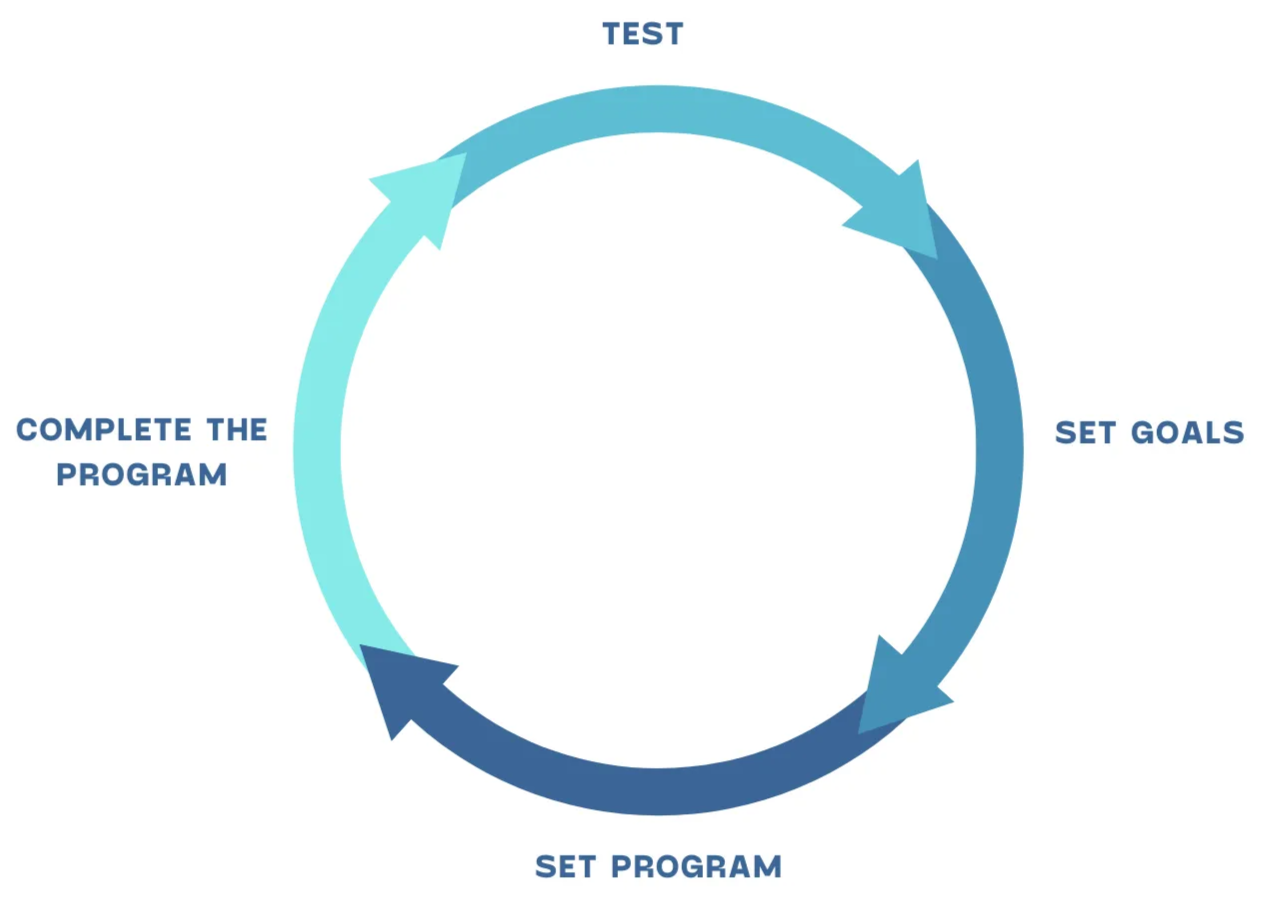
Kinvent Session Cycle

The Cycle of a Kinvent Session:


  1. Test: Start by assessing your patient’s current condition with a specific protocol.
  2. Set/Reset Goals: Define key rehabilitation or performance goals for improvement based on the assessment.
  3. Set Program: Create and assign a tailored training program to develop the targeted qualities.
  4. Complete the Program: Follow the training program through to completion, then retest the patient to measure progress.
  5. Retest: Perform a reassessment to evaluate the patient’s improvement and adjust the rehabilitation plan as needed.

How to Use a Kinvent Session


Step 1: Add a Pathology


  • If your patient’s pathology is available on the list, click the shortcut to select it.
  • For additional or other pathologies, click “+ Other” and use the body chart to specify the condition.
Add Pathology
Rehabilitation Journey

Step 2: Visualize the Rehabilitation Journey


For specific pathologies such as ACL tear, rotator cuff tendinopathy, lateral ankle sprain, total knee replacement, or neck pain, the Kinvent App offers tailored testing protocols.

If your patient’s pathology isn’t currently supported, you can request a protocol.

Step 3: Perform the First Testing Protocol


The Kinvent session begins with a recommended testing protocol based on the selected pathology:

  1. Choose the Kinvent device(s) you want to use.
  2. Start the testing protocol by following the on-screen instructions.
  3. You can skip certain tests by selecting "View List" and choosing specific assessments.
  4. Once completed, results are automatically compiled into a summarized report.

Step 4: Create a Training Program


After the assessment, create a rehabilitation or training program using the collected data:

  1. Click on "Create Training Session".
  2. Set the desired training duration.
  3. The app suggests an optimal plan with the right number of sessions and exercises based on results.
  4. You can adjust exercises, configurations, or intensity as needed.


Training Program

Step 5: Perform the Training Sessions


Follow the guide step by step to complete each session until the program is finished.

Training Session


Step 6: Conduct the Second Testing Protocol


After completing the program, reassess your patient by repeating the initial testing protocol to evaluate their progress.


Step 7: Adapt the Rehabilitation Plan


Based on the reassessment results, you can adapt the rehabilitation plan to match the patient’s evolving needs and continue their improvement journey.