
Check Your App
Make sure you use the Kinvent App only and not K-Force (you can download it directly from your app store). The K-Force app is now obsolete and may cause connectivity errors.
- Disconnect and reconnect in the app.
- Save your devices in the app under the ‘Sensors’ tab.
 |
 |
Check Bluetooth Basics
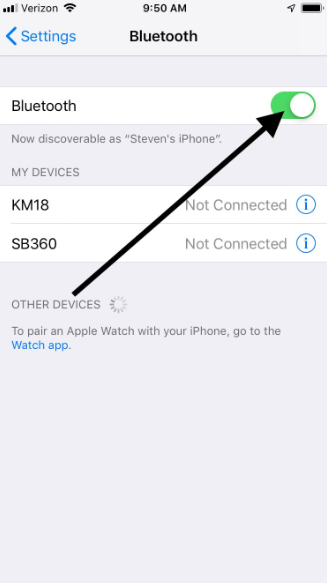
- Check if Bluetooth is enabled on your phone or tablet.
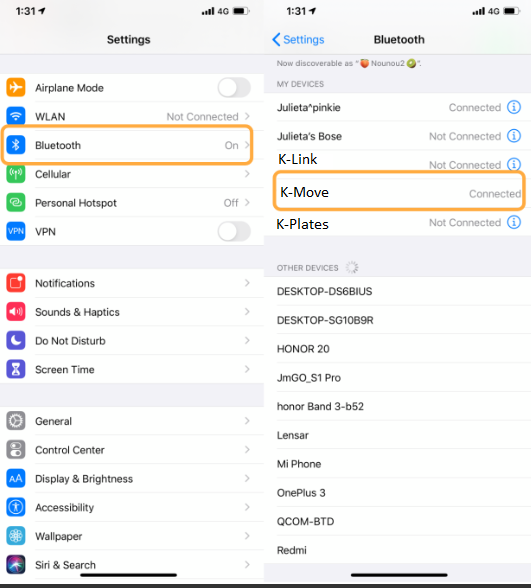
- Ensure the device is not already paired in your Bluetooth settings.
- Make sure no other phones or tablets are connected to the device.
- Turn Bluetooth off and then on again.
- Confirm that your devices are properly paired and connected.
 |
 |
Can’t Pair with Your Device(s)
- Ensure your accessory is discoverable and ready to pair. Follow the accessory instructions.
⇒ You’ll usually see a blinking blue light when it’s ready to pair. Once connected, the light turns solid blue. - Refresh your accessory list in your phone’s Settings app.
- Scan for Bluetooth devices in your phone or tablet’s Bluetooth menu while turning on the sensors. If the sensor does not appear, there might be a Bluetooth issue with the sensors.
- Restart your devices and try again.
 |
 |