
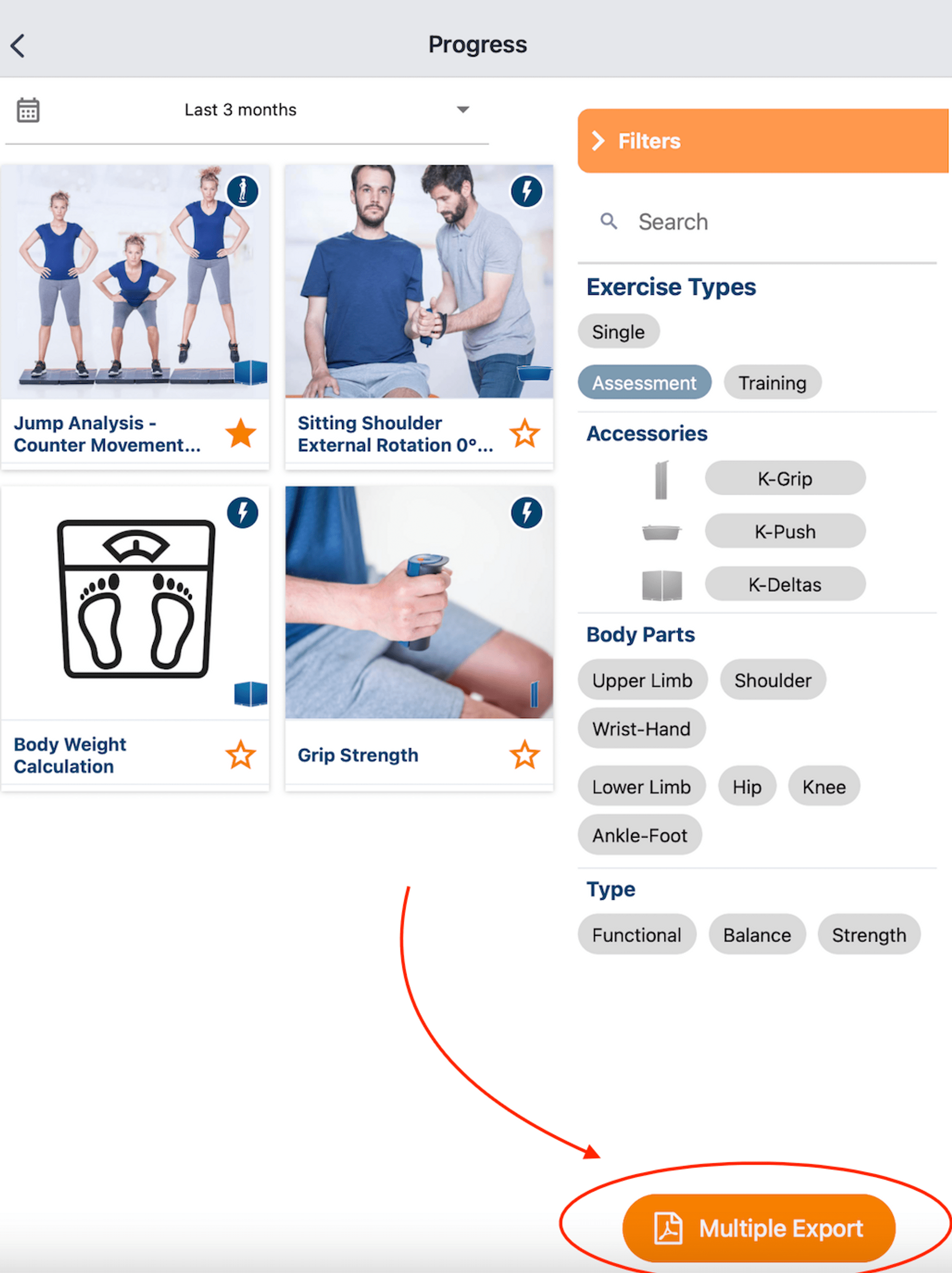
You want to export multiple assessment results in one file to show the comparison between assessments and the progress graph. Let’s see step-by-step how to do it in this article:
 |
How?
|
Tips
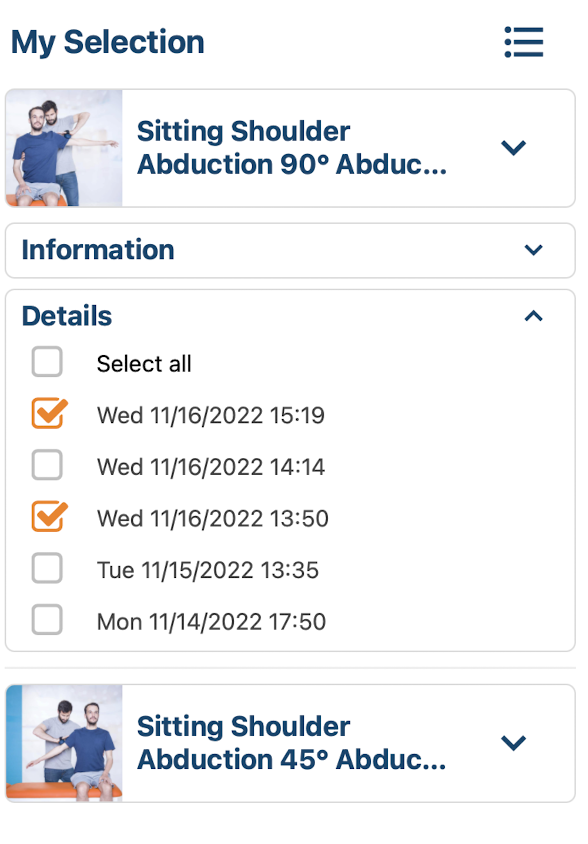
➜ In the “Details” section, select the activities you want to display in the detailed report. ➜ In the “Information” section, choose if you want to display:
|
|
 |
 |