
Smart Mode: A Time-Saving Feature for Effortless Measurement
The Smart Mode is an advanced feature designed to simplify the measurement process by removing the need for time constraints or a set number of repetitions during exercises. The app automatically detects key events during each exercise session, recording the results in the patient’s history without any prior setup.
Contents
- Key Features of Smart Mode
- How to Use Smart Mode for Multiple Sensors
- Steps to Activate and Use Smart Mode
- How to Use Smart Mode with One Sensor
- Available Event Recognition in Smart Mode
Key Features of Smart Mode
- Automatic Event Detection: Smart Mode identifies specific movements or exercises, such as jumps or other activities, during a session and logs the data automatically. This allows the physiotherapist to perform an assessment without configuring the session beforehand. Example: A physiotherapist who wants to assess a patient’s performance on different types of jumps (e.g., vertical or long jumps) can activate Smart Mode. The app will detect each type of jump automatically and record the results without requiring preconfiguration. This makes the evaluation process much faster and more efficient.
-
Smart Mode for Multiple Sensors: Smart Mode supports the simultaneous connection of up to 5 sensors, allowing for complex evaluations involving multiple body parts or movements.
- Connect up to 5 sensors: You can use any combination of sensors to suit the specific needs of the evaluation.
- Event detection: Once Smart Mode is activated, events are automatically detected, saving time and providing greater flexibility for both therapists and patients.
How to Use Smart Mode for Multiple Sensors
(Excellence subscription required) |
|
|
Smart Mode allows you to connect and record data from up to 5 sensors simultaneously, giving you a streamlined way to assess multiple patients or events in real time. |
|
Steps to Activate and Use Smart Mode:
|
|
|
1. Access Smart Mode: On the home screen, tap the Smart Mode button to start.
2. Select Your Sensors:
|
|
|
3. Assign a Patient or Group:
4. Enable Event Recognition (Optional):
|
|
|
5. Start Recording:
6. Export Your Data:
This streamlined process helps you capture accurate, real-time data from multiple sensors and patients effortlessly!
|
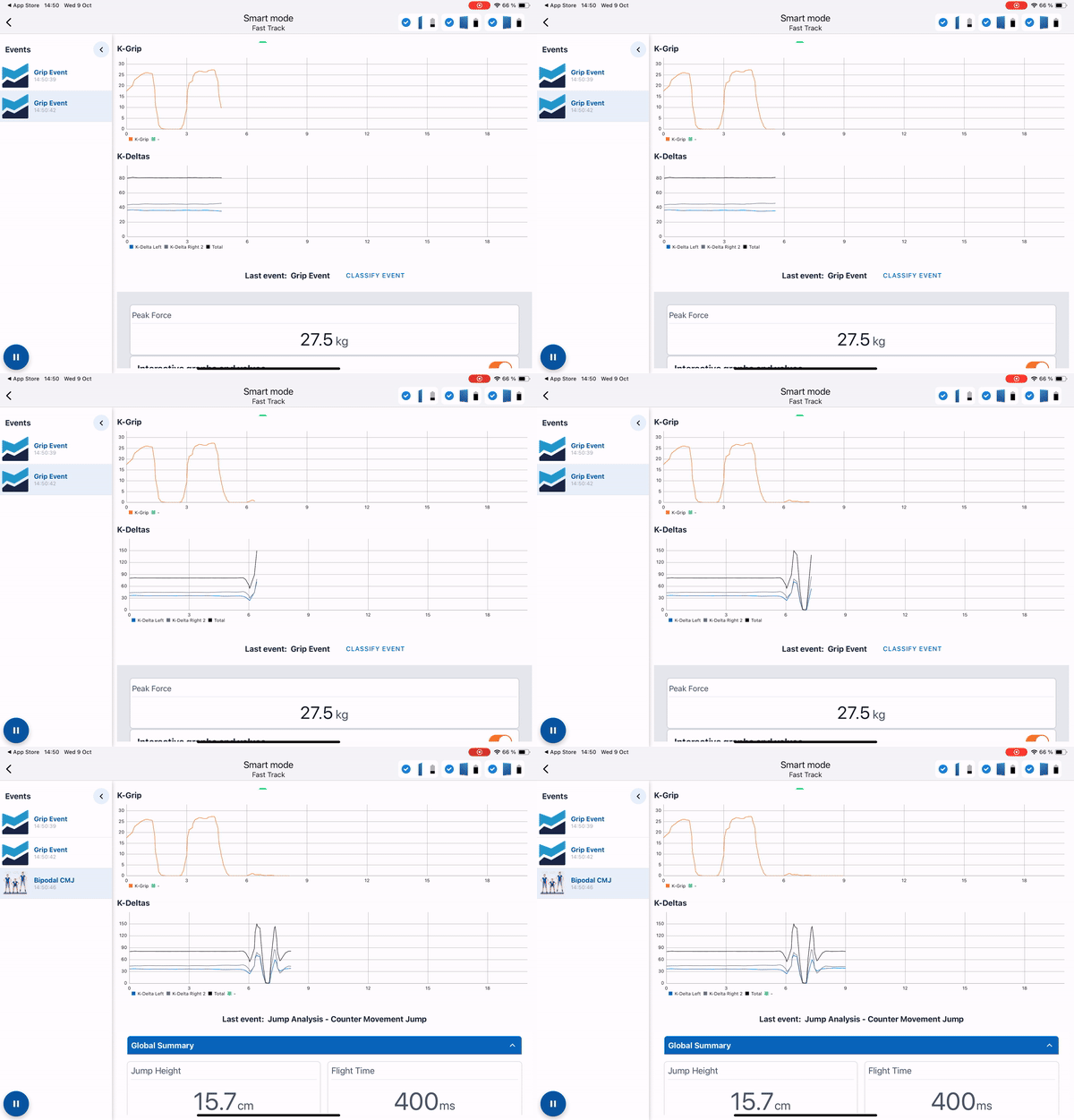 |
How to Use Smart Mode with One Sensor
(Premium subscription required)
Smart Mode simplifies the process of using a single sensor by providing automatic event detection, eliminating the need for complex setup. Here’s how it works:
Steps to Activate and Use Smart Mode: |
|
|
1. Go to Your Assessment List: Open the app and navigate to your assessment list.
2. Search for “Smart Mode”:
3. Select Your Sensor: Choose the sensor you want to use—whether it’s Deltas, Grip, Push, or Pull.
|
 |
4. Run Your Assessment:
Start your assessment. There’s no need to set time limits or repetition counts—Smart Mode allows for flexible, unrestricted testing.
5. Classify Your Assessment (Optional):
If you’re using K-Push or K-Pull, you can classify your assessment by activity type for easier tracking and comparison.
6. Automatic Data Assignment:
Once the session is complete, your results will be automatically assigned to the patient’s profile and history, ensuring seamless data management.
With Smart Mode, even single-sensor assessments become quick and hassle-free, allowing you to focus on patient care while the app handles the details!
Available Event Recognition in Smart Mode
-
Deltas Smart Mode:
- Automatically detects and classifies all types of jumps, including Countermovement Jumps (CMJ), Squat Jumps (SJ), and Drop Jumps (DJ). This works for both unipodal (single-leg) and bipodal (two-leg) jumps, ensuring precise data for your assessments.
-
K-Grip, K-Push, K-Pull:
- Automatically recognizes and logs all types of contractions. Afterward, you can easily classify the specific assessment performed, giving you full control over data organization.