
All the activities available with a single K-Myo can also be performed with two K-Myos measuring muscle activity simultaneously. Additionally, you can activate the 2nd channel on each K-Myo, allowing up to 4 channels in total for more detailed assessments.
- Place the two units on the desired muscles (for example, "left quadriceps" and "right quadriceps").
- If you want to activate the 2nd channel: connect the electrodes with the cable and place them on the desired muscles.
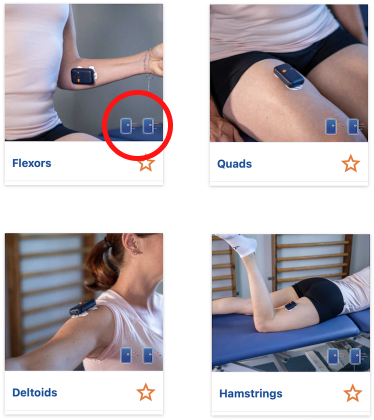
- Choose an activity with 2 simultaneous K-Myos. These activities are easily recognizable by the two K-Myo logos displayed at the bottom-right of the image.
- Turn on and connect both K-Myos.
- The LED of the K-Myo on the left will flash in multicolor. If it is placed on the right, click on “Swap Devices” until the K-Myo on the right is blue and the K-Myo on the left is multicolor.
- Start the evaluation.
