
Introduction
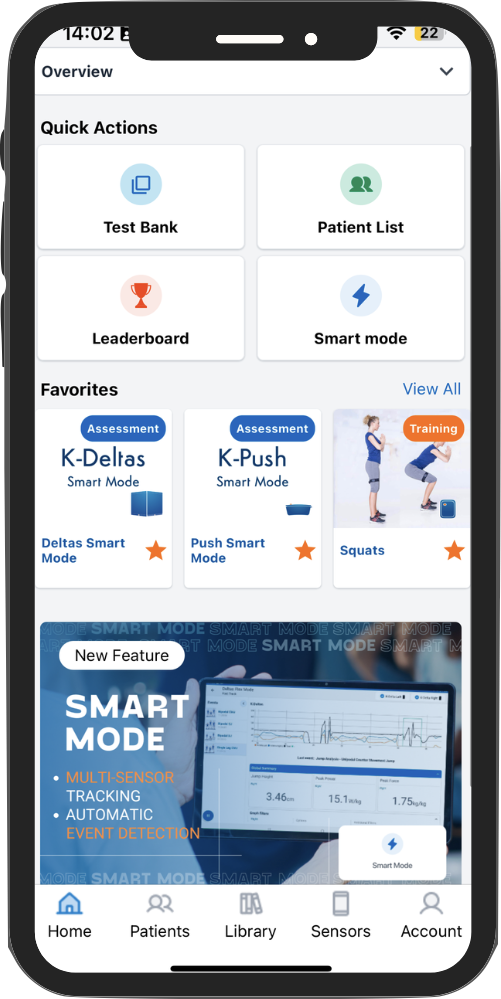
Effortlessly streamline your workflow with the ability to access your favorite assessments directly from the dashboard. Save time by keeping your most frequently used tools just one click away.
What’s in it for you?
|
 |
 |
How to Manage My Favorites
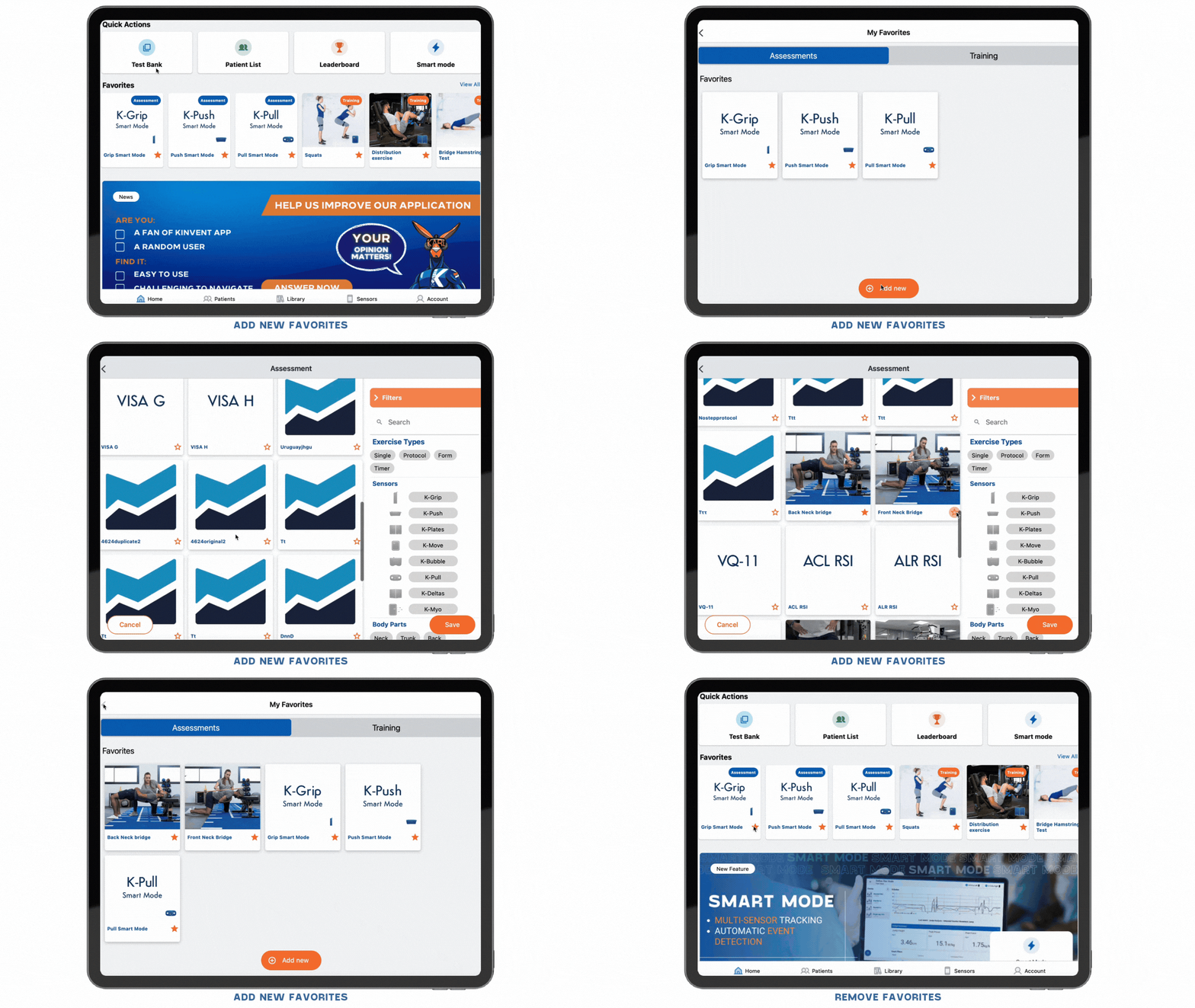
Add New Favorites
|
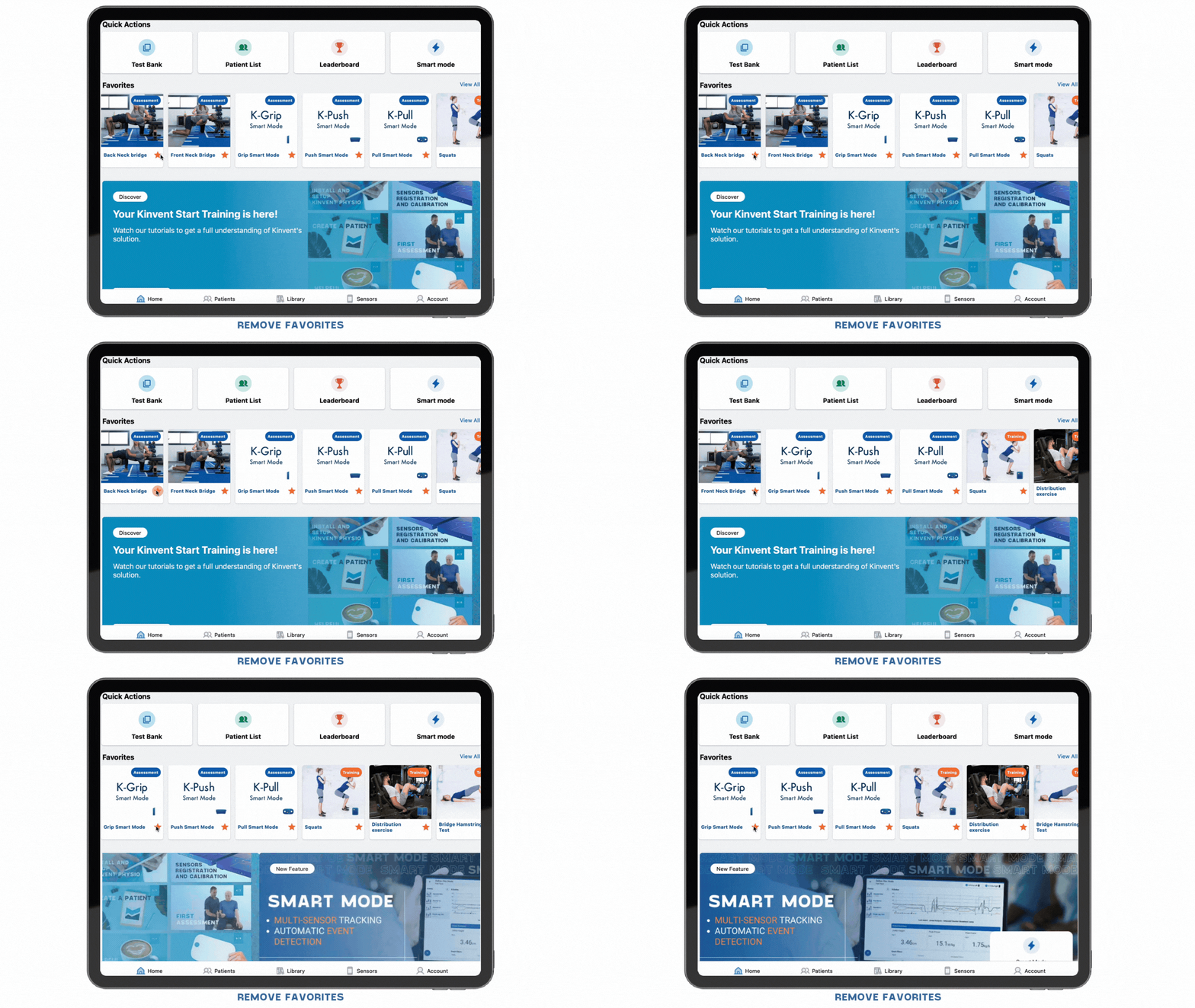
Remove Favorites
Simply click the star icon next to any assessment in your favorites to remove it. |
|
Why Should I Use the Favorites Feature?
- Immediate Access: Your favorites appear on the first screen when you open the app, saving you valuable time.
- Efficiency for Multi-User Workflows: Perfect for quickly assessing multiple patients or athletes, especially when working with teams or groups (Excellence feature)