
You've just received your Kinvent equipment.
For the best possible experience, be sure to follow the two steps below before getting started with your new sensors!
They will be used to create a professional account on the Kinvent App and to link it to your subscription via the online store so that you'll be able to find all the features you've subscribed to in the application!
Just have your professional phone/tablet in hand, take 5 minutes to spare… and off you go!
1 - CREATE YOUR KINVENT ACCOUNT
- Download the Kinvent App (via the Play Store or Apple Store) on an Android or iOS device.
- Create your Kinvent account with a valid email address and follow the steps to validate the account.
- Create an account on our E-Shop with the same email address.
NB: The email you choose for your Kinvent account will also be the one you use in the next step on the online store.
Make sure you use the same email address to log in to all Kinvent services: billing, application, and website.
Make a note of this email address and keep it handy.
2 – ACTIVATE YOUR LICENSE
This step is essential to access the version of Kinvent to which you have subscribed. Follow these steps one after another:
1 – SCAN THE QR CODE
You received a QR code in your parcel to activate your license. Scan it with your phone/tablet.
Didn't receive your QR code in your parcel? Contact your distributor or our customer service department if you bought directly from Kinvent.
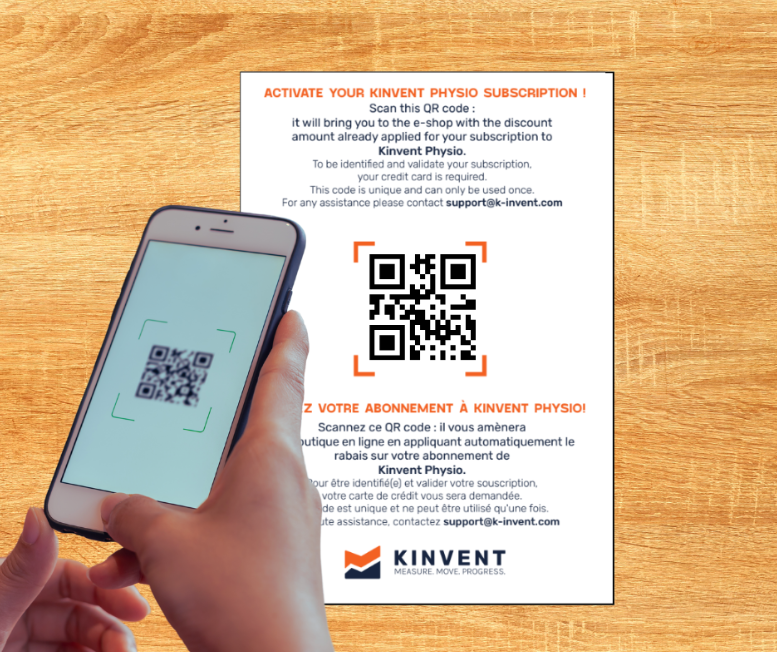
You will be redirected to the online store
The QR code will take you to a page in our online store with your basket pre-filled with a personal coupon code making your basket ‘zero euro/pounds/dollars…’ to be used immediately.
This code is personal, non-transferable, and can only be used once.
If you have prepaid for several years of Kinvent membership, your coupon code will be automatically renewed free of charge.
2 - VALIDATE THE FREE CART
You're in the online store and see your coupon bringing the basket to zero? Perfect!
Go to the end of the license validation process:
– Click on "validate order", then fill in the required information.
IMPORTANT INFORMATION
- Please ensure that you use the same e-mail address as the one used for your Kinvent account, as this is required for synchronization between the two accounts (online store and Kinvent).
- Your credit card number will be requested at this stage only for the automatic renewal of your subscription in subsequent years, in accordance with our terms and conditions.
- Finally, click on "order" to confirm.
You're done!
CONGRATULATIONS!
You now have an active Kinvent account linked to your activated license on the Kinvent online store.