
You can now integrate the Kinvent App with your Nookal account.
This integration automatically imports your most recent patients into the Kinvent App and records any assessments or exercises performed with these patients as Clinical Notes under a KINVENT client case in the Nookal user interface.
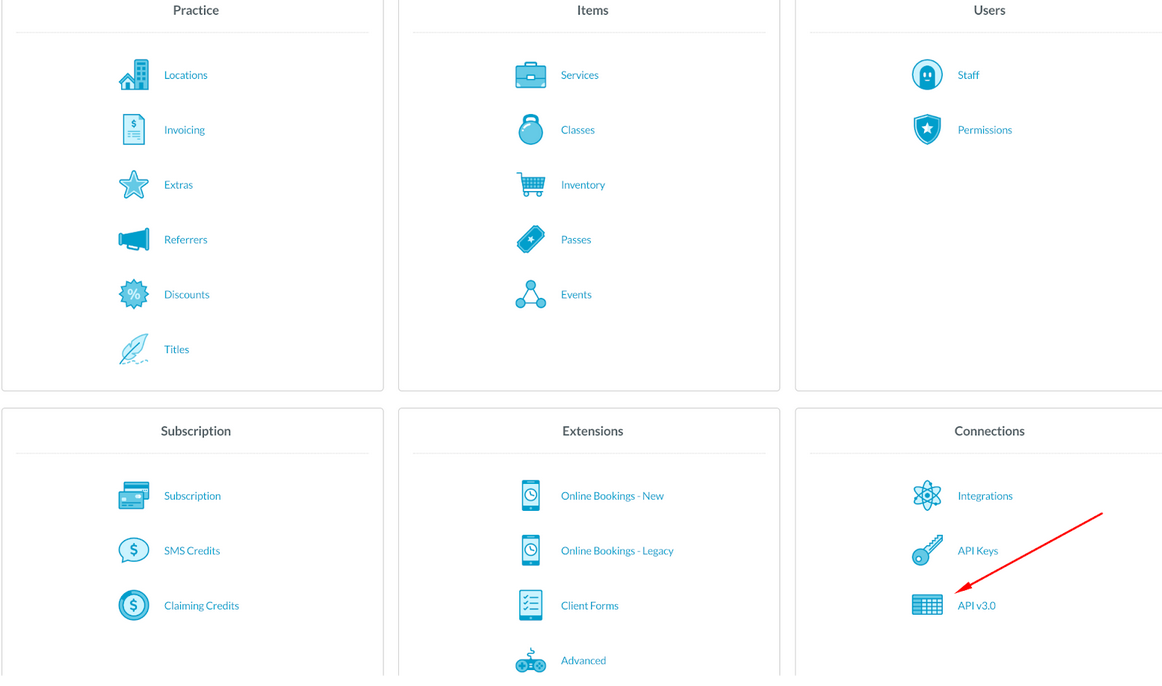 |
1. Request that the Nookal Team grant your account access to the API v3.0 section under Setup → Connections to enable the integration between your Kinvent App and Nookal accounts. |
|
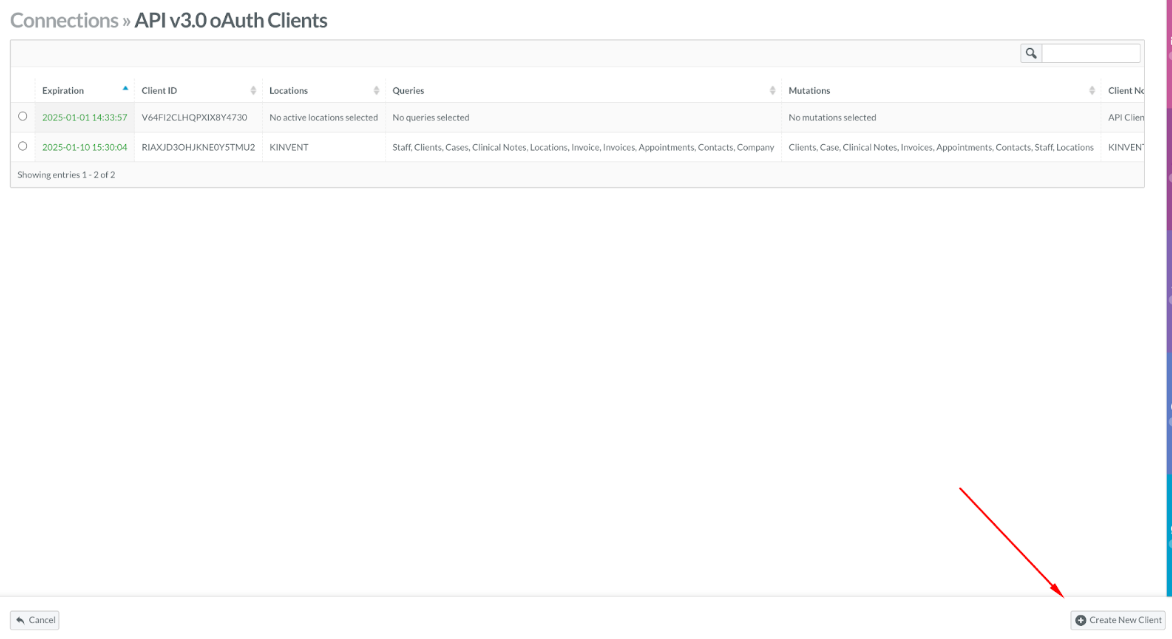
2. Once you have access to the API v3.0 section, click the button to create your API key, which is required to authenticate both systems.
|
 |
During the client creation process, make sure to include the following details:
- Location: The company locations that will have access to the data.
- Queries: Staff, Clients, Cases, Clinical Notes, Locations.
- Mutations: Clients, Cases, Clinical Notes, Locations.
- Status: Active.
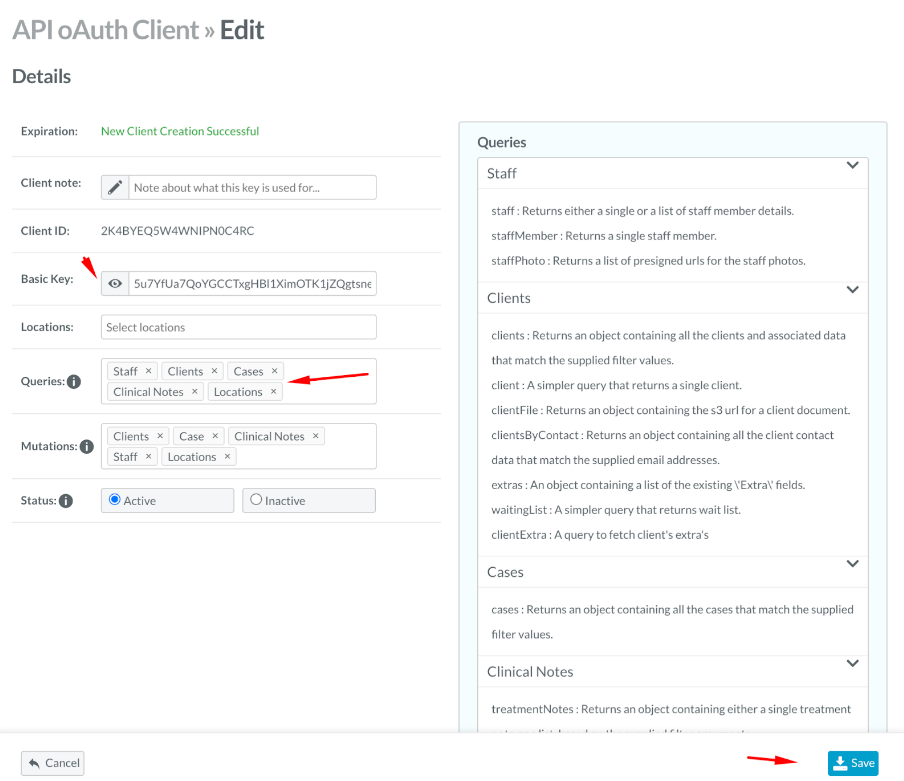 |
Make sure to securely store this Basic Key, as it is only displayed once.
This completes the actions required within the Nookal software. |
|
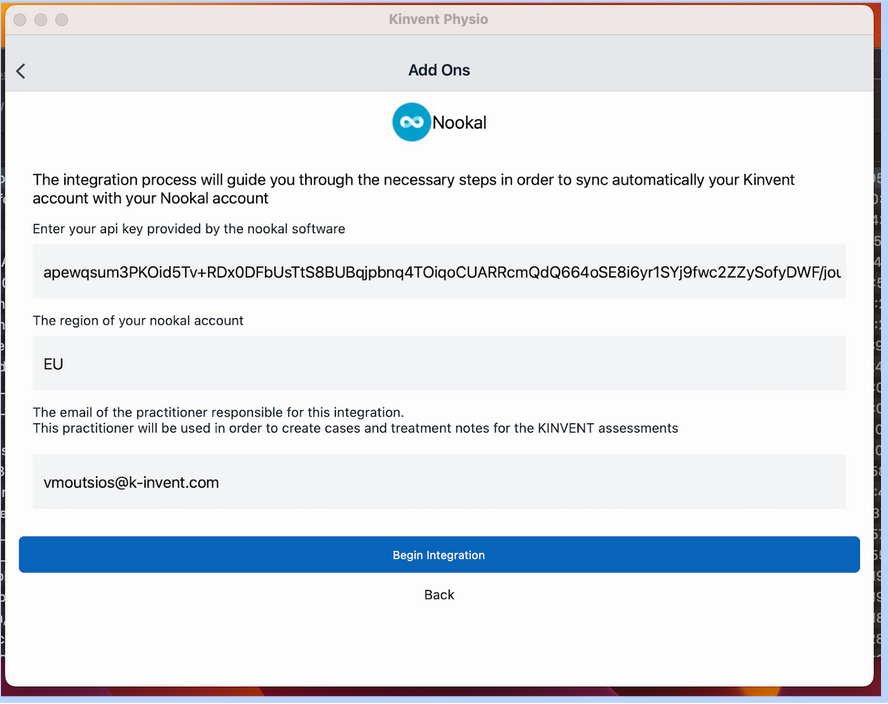
3. Log in to your Kinvent App account and go to Account → Add-ons → Nookal.
4. In the API Key section, paste the Basic Key that you created in Step 2.
|
 |
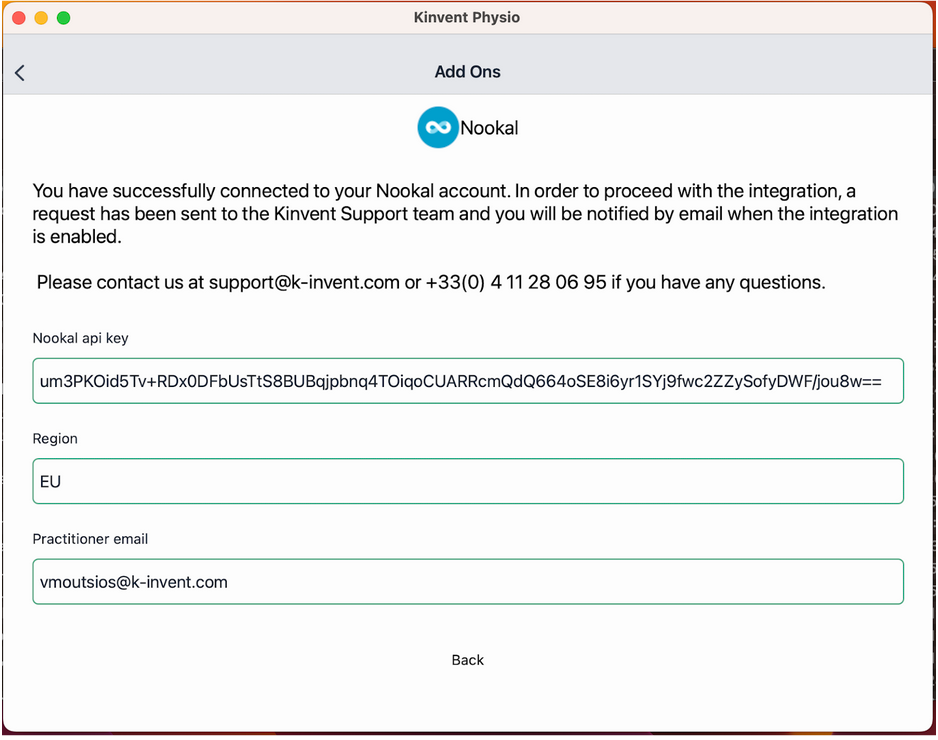 |
5. If the credentials you provided are correct, the status screen will display in green, and the Kinvent Team will be notified automatically. |
After the final confirmation from Kinvent, you will receive an email confirming that the integration and data exchange are now active. This enables automatic patient/client synchronization and uploads Kinvent assessments as Clinical Notes under the corresponding KINVENT case in your clients’ files.